Published November 24, 2025
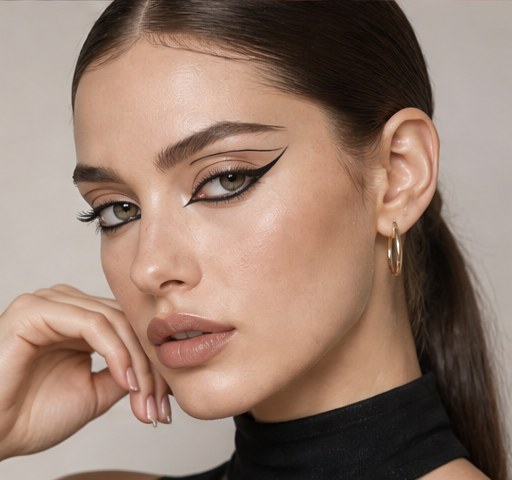
A burst of light in the lid's centre makes eyes look instantly bigger, rounder, and more awake.
What Makes a Halo Eye
A halo eye places a bright, shimmery shade in the centre of the lid with deeper colour on the inner and outer corners, creating a spotlight effect. That central burst of light makes the eye look rounder and more open, almost like a halo of brightness in the middle of the lid. It is one of the most flattering eye techniques because it draws the eye forward and adds dimension that flat shadow can't. The look ranges from soft and neutral to dramatic and metallic depending on your colour choices.
The Colours You Need
You need three elements: a deep matte shade for the corners, a transition shade to blend, and a bright shimmer or metallic for the centre. The deep shade can be a brown, plum, charcoal, or any dark tone that suits your colouring. The shimmer centre is the star, so choose a shade that contrasts with the corners, such as champagne, gold, silver, or rose. A neutral transition brown ties everything together and softens the edge of the dark corners.
Prepping for Maximum Shine
Prime the lid and apply a sticky base or a dab of concealer where the shimmer will go, because metallics need a tacky surface to look reflective rather than patchy. For the most intense centre, apply the shimmer with a flat, dense brush or your fingertip and press rather than sweep. Pressing packs the pigment on so the halo catches light fully instead of looking sheer. This single step is what separates a glowing halo from a dull, washed-out centre.
Placing the Dark Corners
Apply your deep matte shade to the outer corner in a small V and pull it slightly into the crease, then place the same shade on the inner corner. Keep the dark colour concentrated and tight so it frames the centre without swallowing the lid. Use windshield-wiper motions to blend the outer edge up and out, softening any hard lines. The goal is a clean dark-light-dark balance, so resist dragging the corners too far toward the middle of the lid.
Pressing the Halo Centre
Once the corners are blended, press your bright shimmer onto the very centre of the lid, building it up over the existing colour. Keep the brightest concentration in the middle and let it fade slightly as it meets the dark corners so the transition is gradual. If the shimmer and dark shade meet too sharply, take a small blending brush and gently buff just that seam. A tiny dab of the same shimmer on the centre of the lower lash line mirrors the halo and opens the eye even more.
Lining and Lashes
A halo eye looks polished with a thin line of black or brown liner tight against the upper lashes to define the shape. You can add a small wing for a lifted effect, but keep it subtle so it doesn't compete with the central shine. Curl the lashes and apply mascara or falsies to frame the look, since open lashes amplify the wide-eyed halo effect. Avoid heavy lower liner, which would close in the eye and fight the brightness you've built in the centre.
Who It Suits and Previewing
Halo eyes flatter almost every eye shape, but they are especially good for small or deep-set eyes because the central light pushes them forward. Hooded eyes should place the shimmer slightly higher so it stays visible when the eyes are open. Choose champagne or gold for a soft daytime halo and silver or jewel tones for evening drama. Try a halo eye on your selfie in GlowMaxing first to see which shimmer shade makes your specific eye colour pop.
The quick checklist
- Use dark corners, a transition shade, and a bright centre
- Apply a sticky base before any shimmer for full payoff
- Press metallic with a finger or flat brush, never sweep
- Keep the dark corners tight so they frame, not swallow, the lid
- Mirror the halo with a dab of shimmer on the lower lash centre
- Curl lashes and add mascara to amplify the wide-eyed effect
 ✦ Free to start✨ Try these looks on your own selfie with GlowMaxing →Upload one selfie and try any hairstyle, color or makeup look instantly with AI. Free to start.Download on theApp Store